
September 22nd, 2026
Printing Alert: Hold Off on iOS 27 for Your LumaBooth iPad
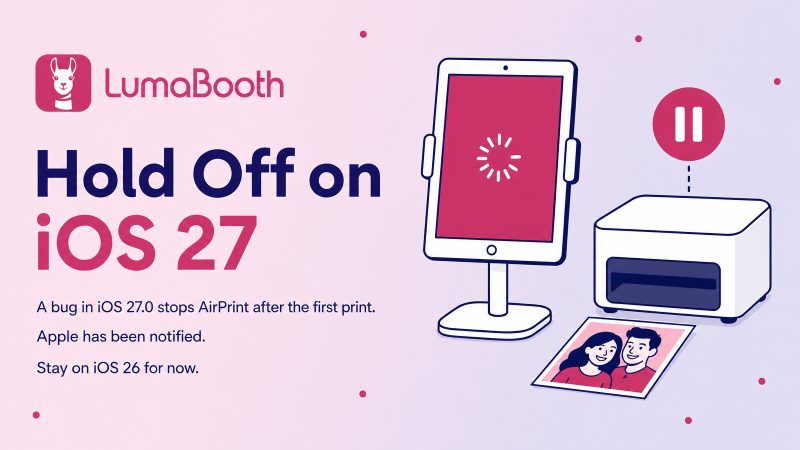
If you run LumaBooth on an iPad or iPhone, we recommend holding off on updating to iOS and iPadOS 27 for now. iOS 27.0 includes a printing bug that can stop your booth from printing partway through an event.
What’s Happening
On iOS 27.0, the first print after opening LumaBooth comes out as normal. The next print never finishes: the app waits on “printing” and nothing comes out of the printer. Closing and reopening LumaBooth gets you exactly one more print before it happens again.
It affects every AirPrint setup we’ve seen, including:
- DNP printers connected through the DNP WCM Plus
- Canon SELPHY printers on Wi-Fi
- Aircast, Airkonv and other AirPrint print servers
It’s an iOS Bug, Not Your Printer
This is a bug in iOS 27.0 itself, not in LumaBooth or your printer. The same app and the same printers work normally on iOS 26, and other app developers are seeing the same problem with their own printers.
We’ve reported it to Apple with a detailed report, and we’re waiting on Apple for a fix. We’ve seen this before: iOS 13 had a very similar printing bug, which Apple fixed after we reported it.
Printing That Isn’t Affected
The bug only affects AirPrint. LumaBooth has two other ways to print that don’t use AirPrint, so they keep working on iOS 27:
- Direct USB Printing: plug a DNP, Citizen or HiTi printer straight into your iPad with a USB cable. It needs LumaBooth 5.3 or later and an iPad Pro or iPad Air with an M-series chip.
- LumaBooth Assistant: an app for Windows or Mac that shares the printer connected to your computer with your iPad over your network.
What To Do Before Your Next Event
- Not updated yet? Stay on iOS 26 for now. Turn off automatic updates in Settings > General > Software Update > Automatic Updates so your iPad doesn’t update on its own before a gig.
- Already on iOS 27? Switch to Direct USB Printing or LumaBooth Assistant for now. Both keep printing normally on iOS 27.
- Need AirPrint on iOS 27? Printing works normally again for customers on the iOS 27.2 beta, so you can install it now instead of waiting for Apple’s official release. It’s still a beta, so back up your iPad first and try a few test prints before your next event. See the steps below.
- None of these fit? Use a device that’s still on iOS 26 for events where printing matters.
How to Install the iOS 27.2 Beta
You can turn on beta updates right from your iPad’s settings:
- 1. Back up your iPad first (Settings > your name > iCloud > iCloud Backup > Back Up Now).
- 2. Open Settings > General > Software Update > Beta Updates and choose iPadOS 27 Public Beta. If Apple asks you to agree to the beta terms, accept them.
- 3. Go back to Software Update. The iPadOS 27.2 beta appears after a moment. Tap Update Now and let the iPad restart.
- 4. Open LumaBooth and print a few photos in a row to confirm everything works.
When Apple releases iOS 27.2 to everyone, go back to Beta Updates and choose Off so your iPad returns to regular updates.
We’ll Keep You Posted
We’ll update this post as soon as Apple releases a fix, or if we find a way to work around it inside LumaBooth. Thanks for your patience, and happy shooting!
Related Articles

Your Prints, Your Sizes: Pick Any Print Size Over USB in LumaBooth 5.4.2
September 3, 2026
LumaBooth 5.4.2 lets you pick the exact print size for the paper in your DNP, Citizen, or HiTi print...
Read More
Mirror It, Flip It, Print It: What’s New in LumaBooth 5.4
August 11, 2026
LumaBooth 5.4 for iPad, iPhone, and Mac adds mirror and flip for captures, Mac keyboard shortcuts, C...
Read More
One Cable, Instant Prints: USB Direct Printing in LumaBooth 5.3
August 6, 2026
LumaBooth 5.3 prints straight from your iPad or Mac to a DNP, Citizen, or HiTi photo printer over a ...
Read More